Vidlark
Loom Free Plan Limits in 2026, Checked
Loom's free Starter plan, checked on 9 October 2026: the 5 minute cap, the 25 video limit, 720p, no downloads, what Business costs, and free ways around each.

Loom's free plan, called Starter, allows 25 videos per person, 5 minutes per recording and video quality up to 720p, and creators on it cannot download their own videos. Everything else, including unlimited length, 4K and downloads, needs the Business plan at $18 per creator per month, or about $15 billed yearly.
Every limit below was checked on 9 October 2026 against Loom's pricing page and Atlassian's Loom support pages. Loom changes its plans often, so the date matters.
The short answer: what Starter gives you
| Limit | Starter (free) | Business |
|---|---|---|
| Videos | 25 per person, archived ones included | Unlimited |
| Length of one recording | 5 minutes | Unlimited (see the note below) |
| Video quality | Up to 720p | Up to 4K |
| Download your videos | No | Yes |
| Remove Loom branding | No | Yes |
| Price | Free | $18 per creator a month, or $180 a year |
Starter is still useful. Viewers do not need an account to watch, and you can see who viewed your video. For a quick update to a colleague, it does the job.
The 5 minute recording cap, and what happens at 5:00
On Starter, a recording can be 5 minutes long. Atlassian's page on how long you can record explains what happens: the timer starts at 5:00 and counts down, and when it reaches 0:00 the recording ends and your video's share page opens.
There is no grace period. If you are mid-sentence at 0:00, that is where the video stops. In practice this means:
- Plan for 4 minutes, not 5, so you have room to finish.
- Split longer topics into parts, each its own video. Each part also counts toward your 25.
- Tutorials, lessons and YouTube videos rarely fit. A walkthrough that needs 12 minutes needs three Loom videos on Starter. How to record a YouTube video on a Mac shows a free way to record one in a single take.
The 25 video cap, and what counts as a video
Starter allows up to 25 videos per person. Two details catch people out:
- Archived videos count. Atlassian's storage limit page says archived videos count toward the 25. Archiving tidies your library; it does not free a slot.
- Deleting does free a slot. Once you are at 25, you cannot record a new video until you delete videos to get under the cap, or upgrade.
Loom's own pages disagree about screenshots. The storage page says screenshots do not count toward the limit, while the Starter FAQ describes the cap as covering videos and screenshots together. If you rely on Loom screenshots, assume they might count.
Members: Loom's pricing page lists up to 50 members on Starter. The Starter FAQ says workspaces linked to Atlassian systems are limited to 10 users, for sign-ups after February 2026.
Was it ever 50 videos? You may read that Starter used to allow 50 videos before it dropped to 25. We could not find any Loom or Atlassian source for that. The only 50 on Loom's pricing page today is the member limit, which is probably where the confusion comes from.
Downloading your own videos on the free plan
This is the limit people discover too late. Atlassian's download page says:
"Admins/creators on a Starter Free plan cannot download videos."
The same page adds that viewers who are not signed in, or who are on Starter, cannot download your video either, whatever your settings say.
So on Starter, your videos live on Loom. You can share links to them, but you cannot take an .mp4 to edit, upload to YouTube or keep as a backup. If you might ever need the file, record with a tool that saves it on your computer in the first place.
Video quality on Starter
Starter records up to 720p. That is fine for a talking head in a small player. It is soft for screen recordings with small text, especially on a large display, where code, spreadsheets and settings pages can become hard to read. Business records up to 4K.
What Business and Business + AI cost per creator
From Loom's pricing page on 9 October 2026:
| Plan | Billed monthly | Billed yearly |
|---|---|---|
| Business | $18 per creator a month | $180 a year (about $15 a month) |
| Business + AI | $24 per creator a month | $240 a year (about $20 a month) |
| Enterprise | Contact sales | Contact sales |
Business adds: unlimited videos and recording time, quality up to 4K, uploading and downloading videos, removing Loom branding, your logo on the video page, trimming and stitching, password protection and engagement insights.
Business + AI adds: automatic titles, summaries and chapters, filler word and silence removal, and editing by transcript.
One note: the pricing page says Business has unlimited recording time, while Atlassian's plan comparison page says recording length up to 6 hours. Either way, it is far beyond Starter's 5 minutes.
Loom for Education: not a free upgrade any more
Many older articles say teachers get Loom free. That is out of date. Atlassian's education page now says the legacy free education plan is no longer available to new applicants.
What verified educators get today is a discount: up to 50% off for general academic use, or 75% off for specific classroom use, on the premium plans, with unlimited recording length. It is for teachers, professors and students aged 16 or over at accredited schools, verified with a school email. Teachers who signed up for the old free plan may still have it.
If you teach and want free, unlimited recording, see our guide to recording online course videos at home, which uses only free tools.
When paying for Loom is worth it
Loom's paid plans are good value when the share link is the point:
- Share links that just work. Your viewer clicks and watches, with no download and no account.
- Comments and reactions at a moment in the video, so feedback lands where it belongs.
- Viewer insights. Starter already shows who viewed; Business adds engagement insights.
- Team libraries, so everyone's videos sit in one searchable place.
- Downloads and 4K when you need them.
If your team sends dozens of video messages a week, a Business seat costs less than the time you would spend uploading files and pasting links.
A quick test: is Starter enough for you?
Look back at the last month and answer five questions:
- Did you make fewer than 25 videos, counting the archived ones you still keep?
- Did every video fit in 4 minutes, leaving a safe margin before the 5:00 cut-off?
- Did anyone need the file itself, to edit, upload elsewhere or keep as a backup?
- Did small text on screen look soft at 720p?
- Did you want engagement insights beyond the list of who watched?
If you answered yes, yes, no, no and no, Starter fits, and there is no reason to pay. Any other answer means you are working around a limit. Then the choice is whether you need Loom's link and team features (pay for Business), or just the file (record locally for free, as below).
Ways to keep recording without paying
Each Starter limit has a free way around it. None of these replaces Loom's share link, so pick by what you actually need.
| Starter limit | Free way around it |
|---|---|
| 5 minute recordings | Record locally with no cap: OBS Studio, the Screenity Chrome extension, QuickTime or Vidlark. |
| 25 videos | Delete old videos (archiving does not help), or keep recordings as files on your computer. |
| No downloads | Record with a tool that saves the file on your computer from the start. |
| 720p | Local recorders record at your screen's real resolution. Cap's Studio Mode records up to 4K. |
| Share link | Cap's free plan makes share links of up to 5 minutes, for personal use. Or upload a file to YouTube (Unlisted) or Google Drive and share that link. |
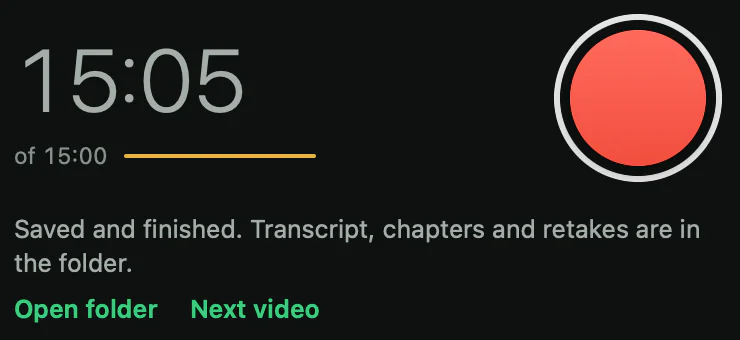
Vidlark is one of those local recorders: free and open source, with no account, no watermark and no time limit. It records your camera, mic and screen with one button, and the timer simply keeps counting past 5:00.
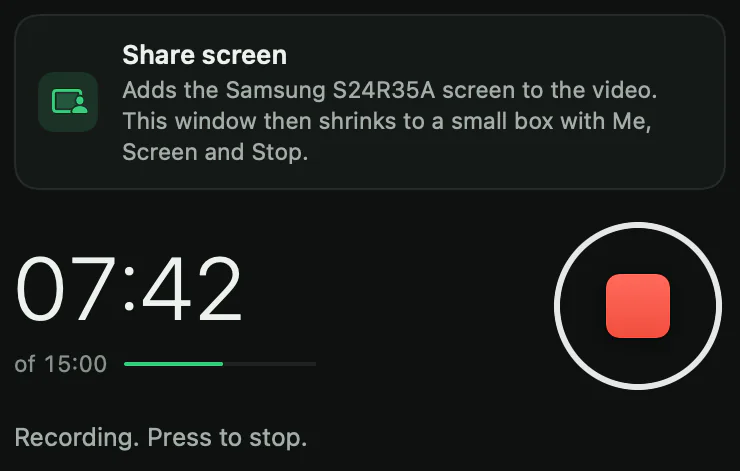
When you stop, it makes video.mp4 in a folder on your computer, so the file is yours from the start.
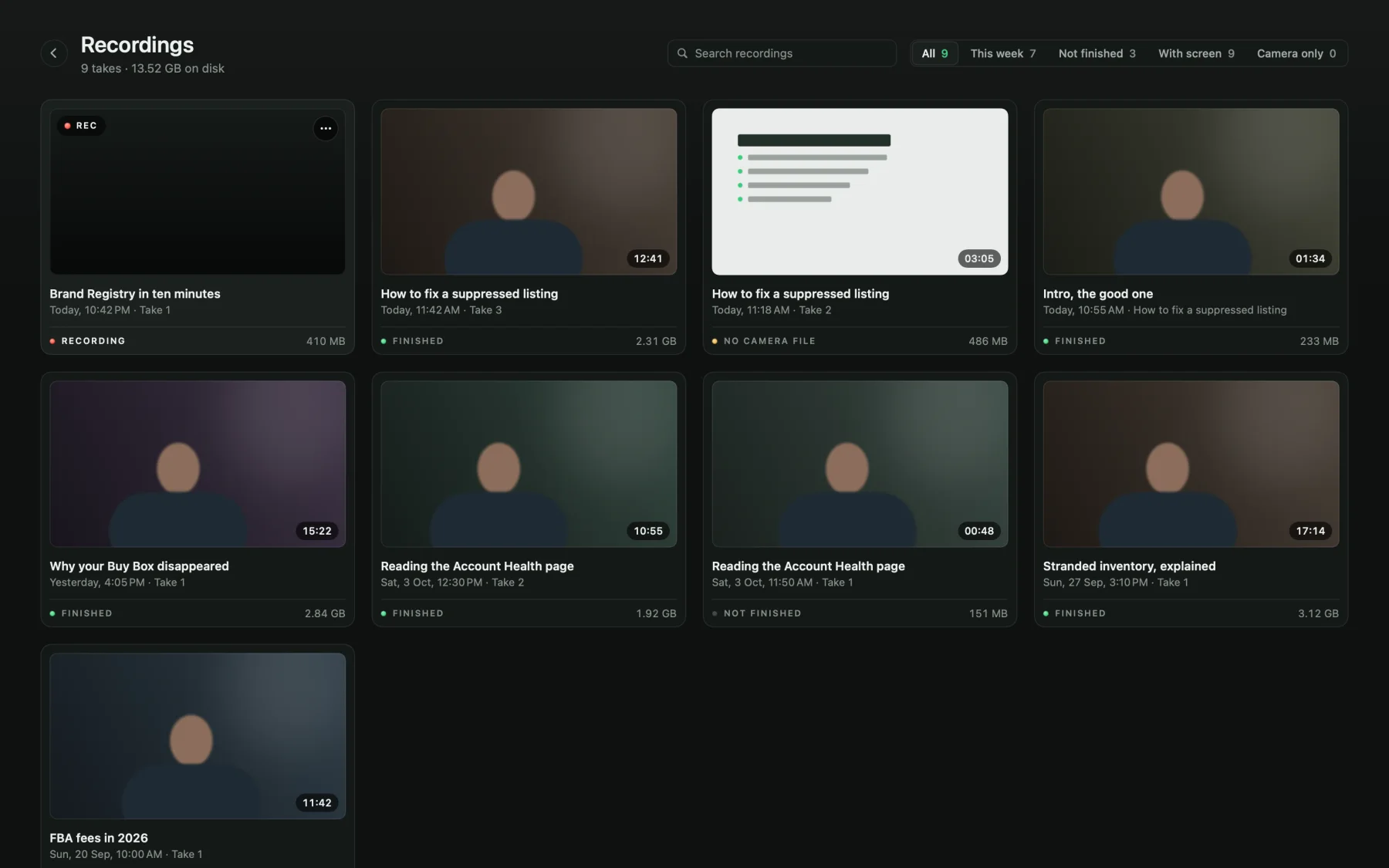
Every take is listed on the Recordings page, with its length and size.
The honest trade-offs: Vidlark has no share link, comments or viewer stats, so you upload the file yourself. On a Mac there is no download button yet: you build it once with Xcode and a free certificate, on Apple silicon with macOS 15 or later (see the install guide). The Windows 11 version is a beta.
For a full comparison of the free options, including what Cap does better, read Free Loom Alternatives With No Limit, No Catch. For a Mac-only list, see free Mac screen recorders with no watermark. If open source matters to you, Open source Loom alternatives, compared honestly compares the licences too.
What to do next
If 5 minutes and 25 videos cover what you do, Starter is fine. If you keep hitting the wall, decide whether you need the share link (pay for Loom, or try Cap) or the file (record locally for free).
To try Vidlark, follow the step-by-step guide; the code is on GitHub. And if you want your face and your screen in one take without any of these limits, How to record yourself and your screen on a Mac shows three free ways.
Questions
How long can you record on Loom for free?
5 minutes per recording on the Starter plan. A timer counts down from 5:00 and the recording ends at 0:00.
How many videos can I have on Loom's free plan?
25 videos per person, and archived videos still count. To record again once you reach 25, you delete videos or upgrade.
Can you download Loom videos on the free plan?
No. Atlassian's support page says Starter creators cannot download videos. Downloading comes with the Business plan.
Is Loom free for teachers?
Not for new sign-ups. Atlassian says the legacy free education plan is no longer open to new applicants. Verified educators can get up to 50% or 75% off the paid plans instead.
How much does Loom Business cost?
$18 per creator per month billed monthly, or $180 a year (about $15 a month). Business + AI is $24 a month, or $240 a year.