Vidlark
Free Loom Alternatives With No Limit, No Catch
Free recorders with no time limit, no watermark and no account, and the one honest trade-off: no instant share link. Which fits your videos, and when Loom wins.

Yes, there are free Loom alternatives with no time limit, no watermark and no account: Vidlark, OBS Studio, the Screenity Chrome extension and QuickTime all record your screen and camera without a cap. The one honest trade-off is the thing Loom does best. None of them hosts your video or gives you an instant share link, so you upload the file to YouTube, Drive or Slack yourself.
That is a trade-off, not a hidden catch, and for many videos it does not matter. This guide says what each option gives up, including Cap, which does make free share links but stops them at 5 minutes. Prices and limits checked on 9 October 2026.
What Loom's free plan stops you doing in 2026
Loom's free plan is called Starter. According to Loom's pricing page and Atlassian's support pages, it gives you:
- 25 videos per person. Archived videos still count. You have to delete videos to get under the cap before you can record again.
- 5 minutes per recording. A timer counts down from 5:00, and the recording ends at 0:00.
- Video quality up to 720p.
- No downloads. Atlassian's download page says "Admins/creators on a Starter Free plan cannot download videos."
The paid Business plan is $18 per creator per month, or about $15 a month billed yearly, and removes those limits. Our Loom free plan limits post goes through each limit in detail.
Three kinds of free
"Free" means three different things on recorder websites. Knowing which one you are looking at saves a nasty surprise at minute five.
- Free tier. Free forever, but capped. Loom (5 minutes, 25 videos), Zight (5 minute recordings and 1 GB of storage on its free plan) and Screencastify (10 videos of up to 30 minutes) work this way. Fine for occasional clips; frustrating for regular videos.
- Free trial. The full product for a few days, then a bill. Tella, for example, has no forever-free plan, only a 7 day trial.
- Truly free. No cap, no watermark, no trial. Usually open source, or built into your computer. OBS Studio, Screenity's free extension, Vidlark and QuickTime are in this group.
The shortlist
Vidlark
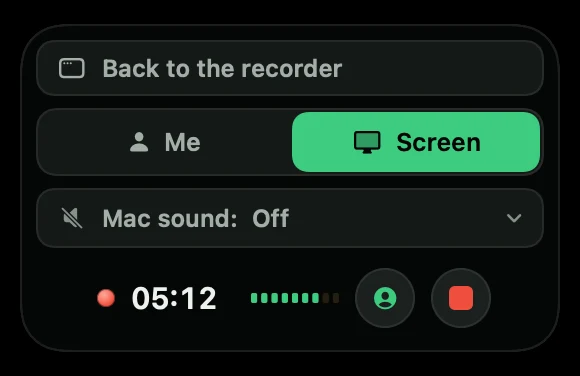
Vidlark is a free, open source recorder (MIT licence) made for filming videos with your face and your screen. Press the red button and your camera and mic start; share your screen when you are ready. Me and Screen in a small recording box switch what the video shows, and when you stop, Vidlark lines everything up and makes video.mp4, plus a transcript, YouTube chapters and a list of the places you said "retake".
- No limits: no account, no watermark, no time limit. Files stay on your computer.
- Extras Loom does not have: phones as extra cameras over Wi-Fi with no app, a prompter that follows your voice, separate camera and screen files lined up by sound, the Mac's sound from every app or just one.
- Gives up: there is no share link, no comments and no viewer analytics. You upload
video.mp4yourself, to YouTube, Drive or Slack. - The install: on a Mac there is no download button yet. You build it once from its code with Xcode and a free Apple Development certificate, and it needs Apple silicon and macOS 15 or later. The install guide covers it step by step. Windows 11 has a beta zip on GitHub that does not yet include the transcript, phones, live view or the prompter.
Cap
Cap is the closest open source match to Loom, and it does several things Vidlark does not. It has a ready-made installer for Mac (Apple silicon and Intel), Windows (beta) and Linux. Instant Mode uploads while you record and gives you a share link when you stop. Studio Mode records locally with no time limit, with screen, camera and mic on their own tracks, and its editor adds zooms from your clicks, smoother cursor motion and backgrounds.
- Free plan: personal use only. Share links are limited to 5 minutes each.
- Paid: a Desktop License ($29 a year, or $58 once) adds commercial use. Cap Pro ($12 per user a month, or $8.16 billed yearly) adds unlimited cloud sharing, viewer analytics and AI titles and chapters.
- Gives up, compared with Loom: long share links on the free plan.
Screenity
Screenity is a free, open source Chrome extension (GPLv3). It records your screen, camera and mic, with drawing, blur and click highlights, and needs no sign-in. The recording stays on your device, and you can export it as MP4, GIF or WebM, or save it to Google Drive to get a link. It runs anywhere Chrome runs, including Chromebooks. A paid Pro plan ($10 a month billed yearly) adds an editor, auto zoom, captions and share links.
- Gives up: it lives in the browser, so it suits tab and screen recordings more than polished videos, and its free share route is a Google Drive link rather than a Loom-style page with comments.
OBS Studio
OBS Studio is free, open source and unlimited, on Mac, Windows and Linux. It is the most powerful tool here: scenes, any layout, live streaming. That power is also the problem for a quick video. You build scenes from sources and set up audio before you record anything, and getting the camera and screen as separate files needs the Source Record plugin.
- Gives up: simplicity, and any kind of share link.
QuickTime Player
Already on every Mac. Float a camera window over your screen and make a screen recording. On macOS 27 or later, the Screenshot toolbar can also include the Mac's sound. It is free and fine for a quick clip, but your face is baked into the picture and cannot be moved later. Our guide to recording yourself and your screen on a Mac shows the exact steps.
ShareX (Windows only)
ShareX is a free, open source screen capture tool for Windows. It is excellent for screenshots and screen recordings, but it does not put a webcam bubble in your recording, so it replaces Loom only for screen-only clips.
Side by side
| Price | Time limit | Watermark | Share link | Camera and screen together | Separate camera file | Runs on | |
|---|---|---|---|---|---|---|---|
| Loom Starter | Free tier | 5 min, 25 videos | No | Yes | Yes | No | Mac, Windows, Chrome |
| Vidlark | Free | None | No | No | Yes | Yes | Mac (Apple silicon), Windows 11 beta |
| Cap (free) | Free for personal use | None locally; links up to 5 min | No | Yes, up to 5 min | Yes | Yes, Studio Mode | Mac, Windows beta, Linux |
| Screenity (free) | Free | None, says its README | None listed | Via Google Drive | Yes | No | Chrome |
| OBS Studio | Free | None | No | No | Yes, with scenes | With a plugin | Mac, Windows, Linux |
| QuickTime | Free, built in | None | No | No | Floating window | No | Mac |
Pricing pages: Loom, Cap, Screenity, OBS. Last checked 9 October 2026. Plans change often, so check before you commit.
When Loom is still the right pick
Be honest about how you use video. Loom is worth paying for when:
- Your viewers are colleagues or clients who need to click a link and watch in seconds, with no download.
- You want to know who watched. Loom shows who viewed your video, and its paid plans add engagement insights.
- Conversation happens on the video. Comments and emoji reactions at a moment in the video are hard to replace with a file in Drive.
- Your team shares a library of videos in one place.
If that is you, a Business seat at about $15 a month billed yearly is cheaper than the time you would spend uploading files and pasting links. The free alternatives win when the video is the product: tutorials, YouTube videos, lessons for an online course, demos you edit.
Which free alternative fits which job
- Quick async updates with a link: Cap's free plan, if 5 minutes is enough and it is for personal use. Otherwise, pay for Loom.
- YouTube videos and tutorials with your face: Vidlark (Mac). The finished video follows your Me and Screen clicks, and you also get chapters, a transcript and a retakes list. How to record a YouTube video on a Mac walks through a whole video, and our free Mac screen recorders comparison covers more Mac options.
- Polished product demos with zooms: Cap's Studio Mode.
- Browser recordings on any computer, including Chromebooks: Screenity.
- Live streaming or complex layouts: OBS Studio.
- A one-off clip on a Mac: QuickTime.
- Wanting to read or change the code: all of Cap, Screenity, OBS and Vidlark are open source. Open source Loom alternatives, compared honestly compares their licences.
Moving your workflow off Loom in an afternoon
- Decide what to keep. Starter cannot download your videos, so links you already sent work only while those videos stay in your Loom library. Sort out which ones still matter before you delete anything.
- Pick a home for new videos. YouTube (Unlisted means only people with the link can watch), Google Drive, or the chat app your team already uses. Most give you a link to paste, just as Loom did.
- Install your recorder. For Vidlark on a Mac, follow the install guide and the free certificate steps once.
- Record a short test. Check the camera, the mic and the screen all made it into the file.
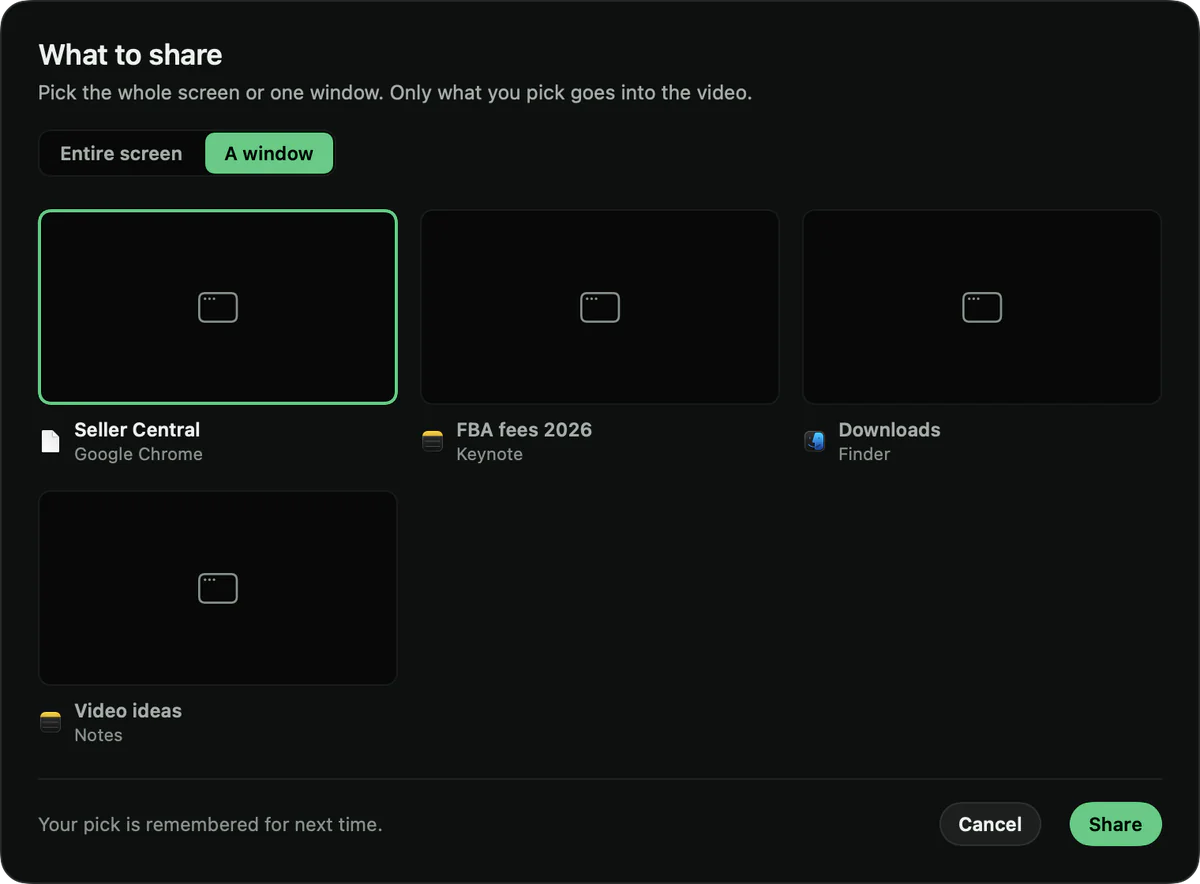
- Find the file. In Vidlark, click Open folder when it says Saved and finished. The file to upload is
video.mp4.
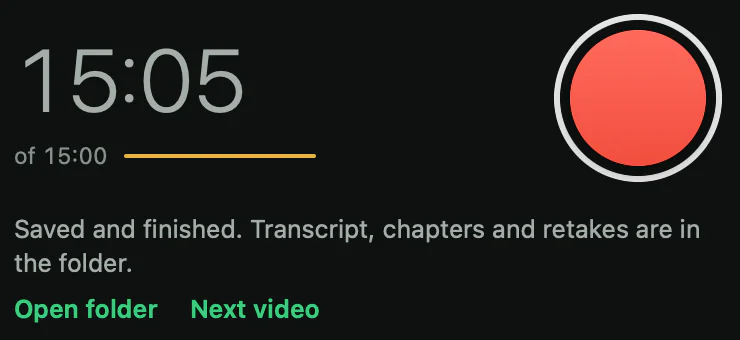
- Upload and share the link. Drag
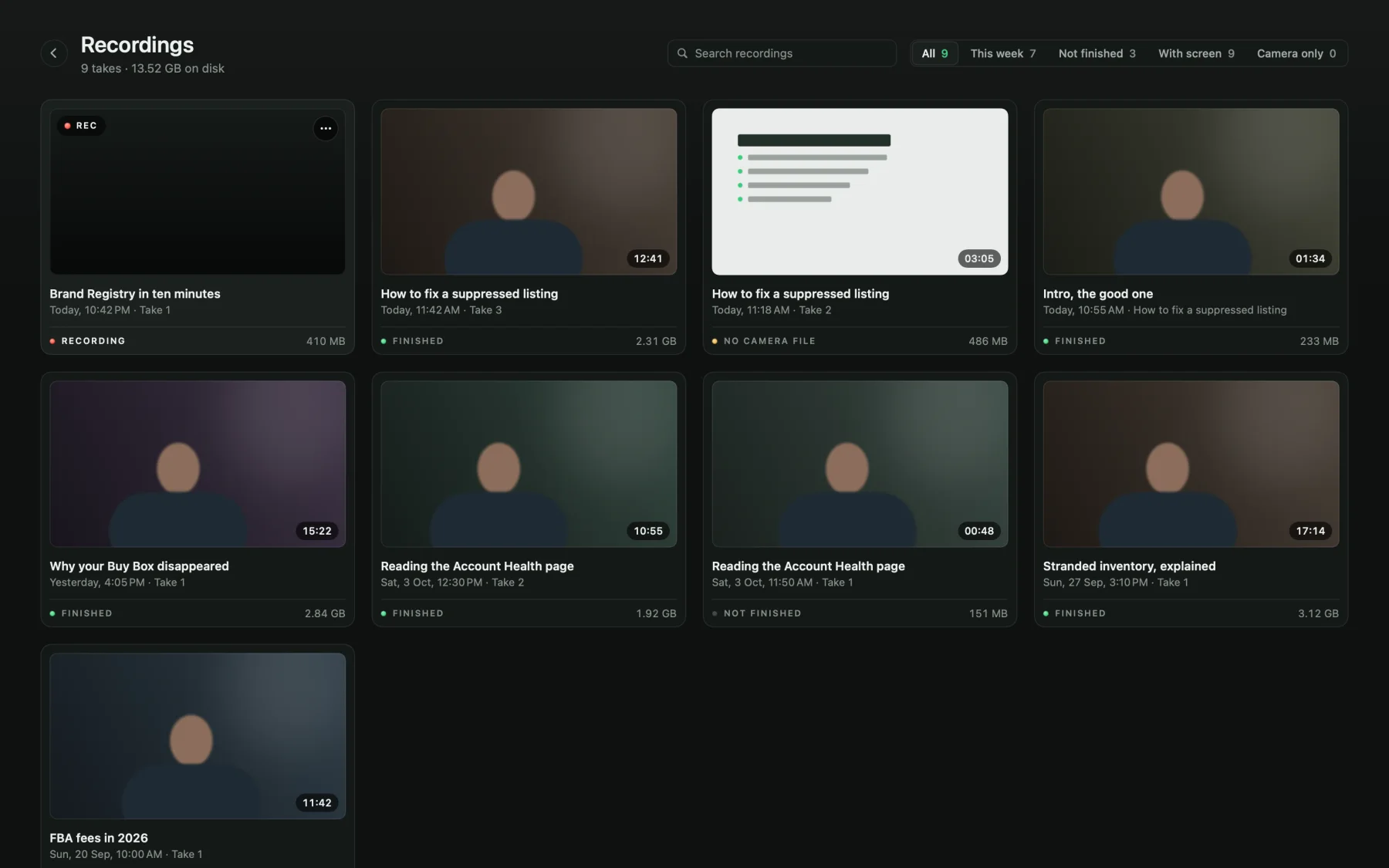
video.mp4into Drive or YouTube and copy the link. - Keep your takes tidy. Vidlark's Recordings page lists every take with a picture, its length and its size, with search, rename and delete to the Trash.
What to do next
If you need share links and team comments, a paid Loom seat or Cap is the honest answer. If you make videos to publish, try a truly free recorder for a week.
Vidlark is free from the first take: the how-to guide shows every screen, and the code is on GitHub. Watch the two-minute tour on YouTube first if you want to see it working.
Questions
Is there a free Loom alternative with no time limit?
Yes. Vidlark, OBS Studio, the Screenity Chrome extension and QuickTime have no recording time limit, no watermark and no account. The trade-off is that none of them gives you a share link: you upload the file yourself.
Which free Loom alternative gives me a share link?
Cap is the closest. Its free plan makes cloud share links of up to 5 minutes each. The fully free recorders (OBS, Screenity's free extension, Vidlark, QuickTime) save a file that you upload to YouTube, Google Drive or Slack yourself.
Can I download my videos on Loom's free plan?
No. Atlassian's support page says creators on the Starter free plan cannot download videos. Downloads come with the paid Business plan.
Does Vidlark work like Loom?
It records your camera, mic and screen with one button like Loom, but it saves the files on your computer instead of uploading them. It has no share link, comments or viewer stats.