Vidlark
Open Source Loom Alternatives, Compared Honestly
Cap, Screenity, OBS Studio and Vidlark compared: licences in plain words, share links, self-hosting, project health on GitHub, and which one fits your videos.
The main open source Loom alternatives are Cap, the closest copy of Loom with share links and self-hosting; Screenity, a Chrome extension; OBS Studio, the power tool; and Vidlark, a local recorder made for filming videos with your face and screen. Which one fits depends on one question: do you need a link to send, a server you control, or files to edit?
Licences, prices and GitHub numbers below were checked on 9 October 2026.
Why open source matters for a recorder
A screen recorder sees everything on your screen: email, banking, private messages, customer data. With closed software, you trust the company with all of it. With open source, anyone can read exactly what the app does with your screen and your files, and many people do.
Open source also means:
- You are not locked in. If the company changes its pricing, the code is still there, and someone can keep it going.
- You can change it. A missing feature is something you or a helper can add.
- Local options exist. Several of these tools never upload anything unless you ask.
Cap: the closest Loom clone
Cap looks and works the most like Loom. It is also the most complete of the four, and it does several things Vidlark does not.
- Instant Mode uploads while you record and gives you a share link the moment you stop, just like Loom.
- Studio Mode records locally, up to 4K, with the screen, camera and mic each on their own track.
- An editor with zooms generated from your clicks, smoothed cursor motion and backgrounds.
- Self-hosting. Cap's README explains how to run its web app, API, database, media server and storage yourself with Docker Compose, and connect your own S3-compatible storage such as AWS S3, Cloudflare R2, Backblaze B2 or MinIO.
- Ready-made installers for Mac (Apple silicon and Intel), Windows (beta) and Linux.
Plans: the free plan is for personal use, with cloud share links of up to 5 minutes each. A Desktop License ($29 a year, or $58 once) adds commercial use. Cap Pro ($12 per user a month, or $8.16 billed yearly) adds unlimited cloud storage, viewer analytics, AI titles and chapters, and team workspaces. See Cap's pricing.
Licence: mixed. Most of the code is AGPLv3; a few parts (its camera and screen capture libraries) are MIT.
Screenity: free in the browser, with annotation
Screenity is a Chrome extension under GPLv3. The free extension records your screen, camera and mic, with drawing, blur, click highlights and push-to-talk, and the recording stays on your device. Because it runs in Chrome, it works on Mac, Windows, Linux and Chromebooks with nothing else to install.
A paid Pro plan ($10 a month billed yearly) adds an editor, auto zoom, captions, layouts and share links. If you only need quick browser recordings with annotation, the free extension is hard to beat.
OBS Studio: the power tool
OBS Studio (GPL-2.0) is the most used open source recorder and streamer, on Mac, Windows and Linux. Version 32.2.2 needs macOS 13 or later on a Mac.
You build what you record from scenes and sources: a screen, a webcam, a mic, text, images. OBS 30 and later include a macOS Audio Capture source that records the Mac's sound, all of it or one app, without extra drivers. For separate camera and screen files, the free Source Record plugin records any source to its own file, and it supports macOS.
OBS can do almost anything, including live streaming, which none of the others do. The price is setup time: it is a tool you configure, not a button you press.
Vidlark: local, MIT licensed, made for filming videos
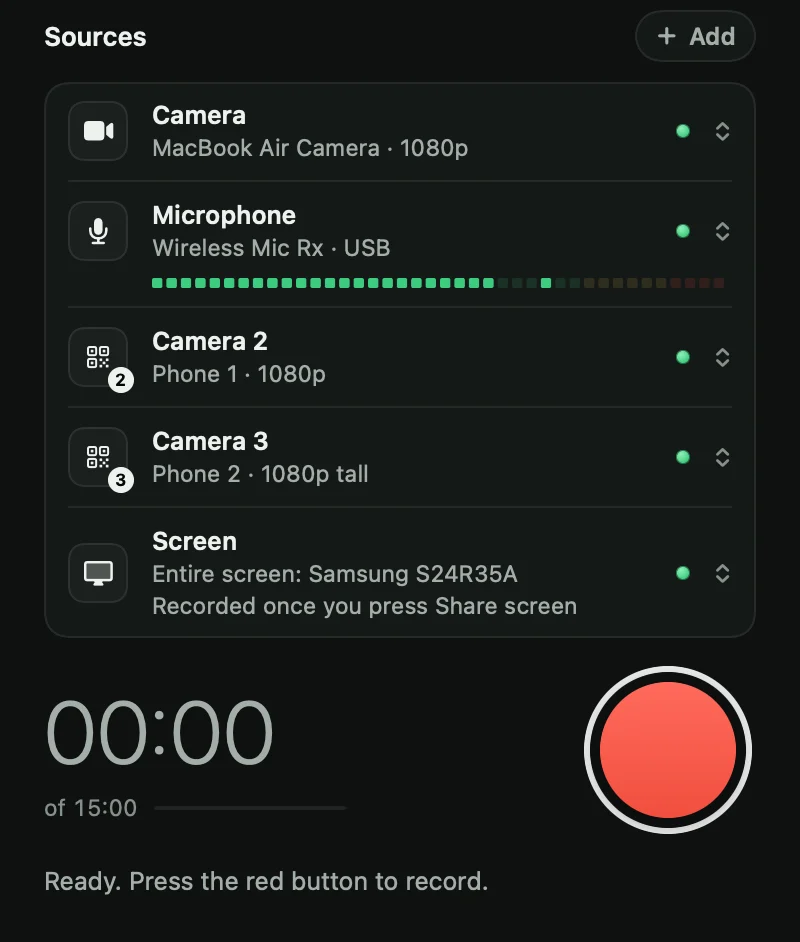
Vidlark is the newest of the four. It is MIT licensed, free, with no account, no watermark and no time limit, and it saves everything on your computer. It was built to film YouTube videos, so it does a few things the others do not:
- Phones as cameras with no app. Scan a QR code with an iPhone (iOS 16.4 or newer) or an Android phone on the same Wi-Fi and it films another angle, up to 1080p at 30 frames a second. Use your iPhone as a webcam for YouTube videos has the steps.
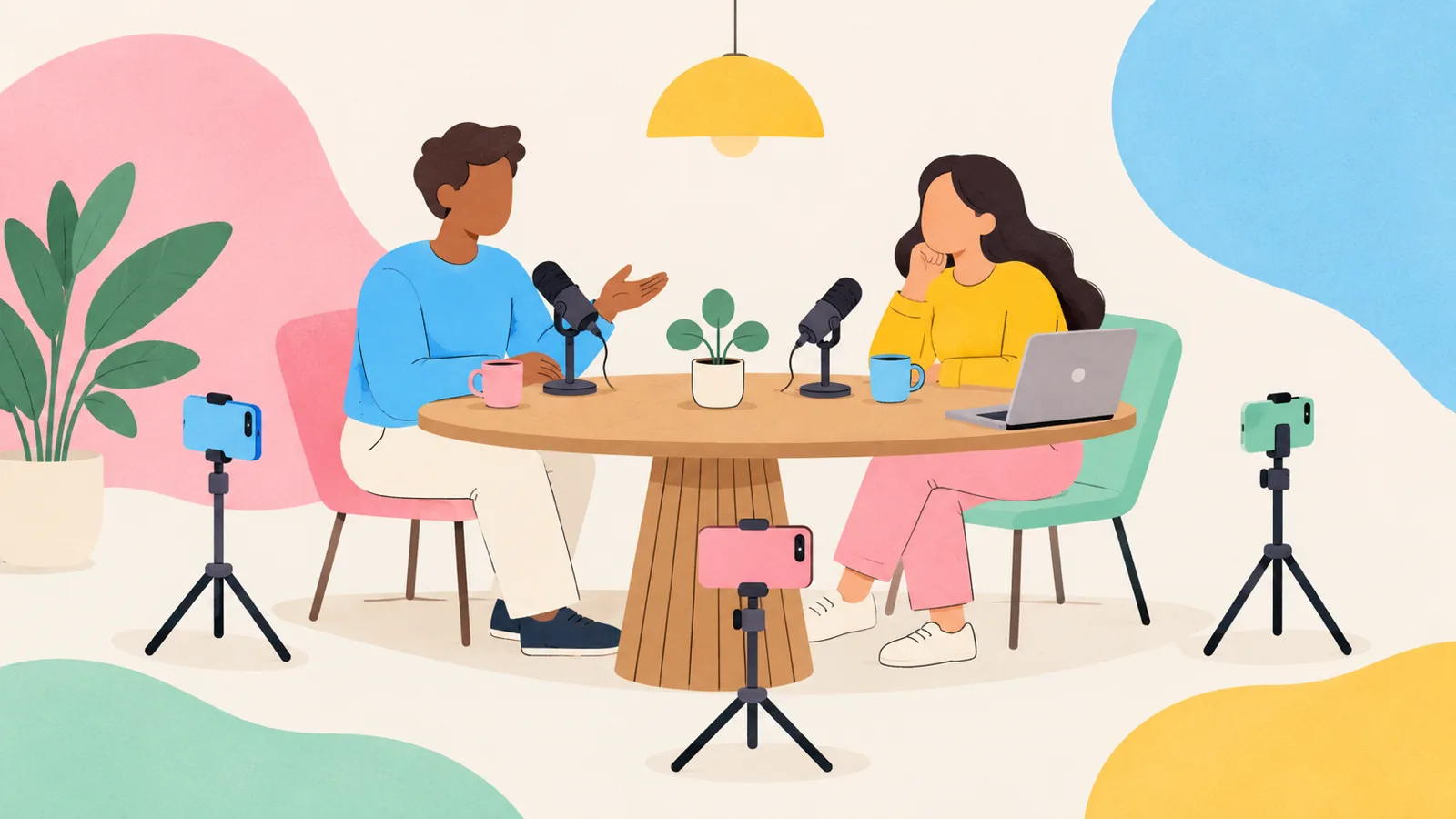
- Up to four phone angles synced by sound. Each phone saves its own file, lined up with the main camera automatically. Our guide to recording a video podcast in one room with phones shows this in use.
- A prompter that follows your voice, on a strip of the screen that is never recorded.
- A transcript made on your Mac, with no cloud, plus YouTube chapters and a list of every place you said "retake".
- A finished video that follows your Me and Screen clicks, while the camera and screen are also kept as separate files.
What it does not do: no share links or cloud hosting, no editor, no self-hosted server, and no Intel Macs. On a Mac there is no download button yet: you build it once with Xcode and a free Apple Development certificate, on Apple silicon with macOS 15 or later (install guide). Windows 11 has a beta zip without the transcript, phones, live view or prompter. On an Intel Mac, free Mac screen recorders with no watermark compares what runs on one.
Licences side by side
| Project | Licence | What it lets you do, in one line |
|---|---|---|
| Vidlark | MIT | Use, change, share or sell it; keep the copyright notice with the code. |
| Cap | AGPLv3 (some parts MIT) | Use and change it; if you share a changed version, or run one as a web service for others, you must offer its source under the same licence. |
| Screenity | GPLv3 | Use and change it; if you share a changed version, you must share its source under the same licence. |
| OBS Studio | GPL-2.0 | The same idea as GPLv3, in the older version of the licence. |
For most people who just record videos, the plan matters more than the licence: Cap's ready-made app is free for personal use and asks for a Desktop License for commercial work, while the other three cost nothing for any use. The licence differences matter if you plan to build on the code. MIT is the most permissive. The GPL family asks you to keep changes open when you share them, and the AGPL extends that to software run as a web service, which is why it suits a project with self-hosted sharing like Cap.
Project health on GitHub
Stars show interest, open issues show activity (GitHub's count includes open pull requests), and the last push shows whether anyone is still working on it. Numbers from GitHub on 9 October 2026:
| Project | Stars | Open issues and pull requests | Last push |
|---|---|---|---|
| OBS Studio | 77,172 | 1,143 | 9 Oct 2026 |
| Cap | 23,146 | 406 | 9 Oct 2026 |
| Screenity | 18,762 | 11 | 5 Oct 2026 |
| Vidlark | 0 | 0 | 9 Oct 2026 |
Vidlark's zeros are honest: it went public in October 2026 and has not been discovered yet. It is built by one student with Claude Code, so it has far less testing behind it than OBS or Cap. Weigh that if a recording really matters.
Want auto zoom? Recordly (AGPL-3.0, with extra branding conditions) is another open source option with Screen Studio style zooms on Mac, Windows and Linux. It began as a fork of OpenScreen, which is now archived.
How to read or change the code
Every project above is on GitHub. To look around, open the repository in your browser: the README explains what is where. To change something, you download (clone) the code, make the change and build the app.
Vidlark makes that last part unusually easy for non-programmers. Its repository includes a CLAUDE.md file that tells Claude Code, Anthropic's coding assistant, how the project fits together. You open the vidlark folder in Claude Code and ask in plain words:
- "Make the countdown 5 seconds instead of 3."
- "Save my takes in my Movies folder."
- "Make the app purple instead of green."
Claude makes the change, builds Vidlark and runs its tests. Claude Code needs a paid Claude plan; the rest is free. The Change it with Claude steps walk through it, and a good change can go back to everyone as a pull request.
Which to pick for share links, self-hosting or editing
- You need share links, like Loom: Cap. Self-host it if your company wants the videos on its own storage.
- You only record in the browser, maybe on a Chromebook: Screenity.
- You stream, or want full control of the layout: OBS Studio.
- You film YouTube videos, lessons or podcasts and edit the files: Vidlark on an Apple silicon Mac, or Cap's Studio Mode if you want an editor built in or use an Intel Mac. How to record a YouTube video on a Mac walks through a whole video.
- You want to change the app without coding: Vidlark, with Claude Code.
What to do next
If you are leaving Loom, start with Free Loom Alternatives With No Limit, No Catch, which also covers closed but free options like QuickTime, and see Loom's free plan limits for exactly what you are leaving behind.
To try Vidlark, the how-to guide shows every screen, and the code is at github.com/neel542/vidlark.
Questions
What is the best open source alternative to Loom?
Cap is the closest to Loom, with instant share links and the option to self-host. Screenity is the easiest in a browser, OBS Studio is the most powerful, and Vidlark is built for filming videos with your face and screen on a Mac.
Can I self-host a Loom alternative?
Yes. Cap's README explains how to self-host its web app, database, media server and storage with Docker Compose, using your own S3-compatible storage.
Is Vidlark open source?
Yes, under the MIT licence. You can use it, change it and share it for free, as long as the licence notice stays with the code.
Which open source recorder gives me separate camera and screen files?
Cap's Studio Mode and Vidlark both save the screen, camera and mic separately. OBS Studio can do it with the free Source Record plugin.